
Blue Heron InfoTech Resource
A practical comparison of control, cost, responsibility, access, and support for small and midsize organizations.
The decision is not simply local servers versus the internet
A public cloud service is operated on infrastructure shared across many customers and delivered under the provider’s terms. A private cloud is dedicated to one organization and may run at the organization’s facility, in a dedicated hosted environment, or across both. Both approaches can provide remote access, file synchronization, collaboration, and dependable service. The meaningful differences are ownership, administrative control, responsibility, and how costs develop over time.
Small businesses often frame the decision as a choice between modern cloud tools and outdated on-premises equipment. That framing is misleading. A well-designed private cloud can provide familiar browser, desktop, and mobile access while allowing the business to decide where data is stored, how accounts are managed, how backups are protected, and how the system integrates with other applications.
Where public cloud services are strong
Public cloud platforms are often the fastest way to deploy standard capabilities. Email, file sharing, video meetings, and office applications can be activated without purchasing servers or building a local operations team. The provider handles much of the underlying hardware, capacity planning, and platform availability. For a small organization with straightforward requirements, this can reduce the work needed to begin.
Public services can also be useful when employees are widely distributed, when a specialized application is only offered as software as a service, or when the organization does not want responsibility for the operating system and application platform. These advantages are real, but they do not remove the need for account administration, access reviews, backup decisions, security configuration, and vendor management.
Where private cloud can be a better fit
A private cloud can be appropriate when the organization needs direct control over data location, storage capacity, retention, integration, or account policies. Manufacturers and engineering firms may have large files, multiple facilities, specialized workflows, or business systems that perform better when storage and authentication remain close to the operation. A private system can also reduce dependence on per-user licensing for selected services.
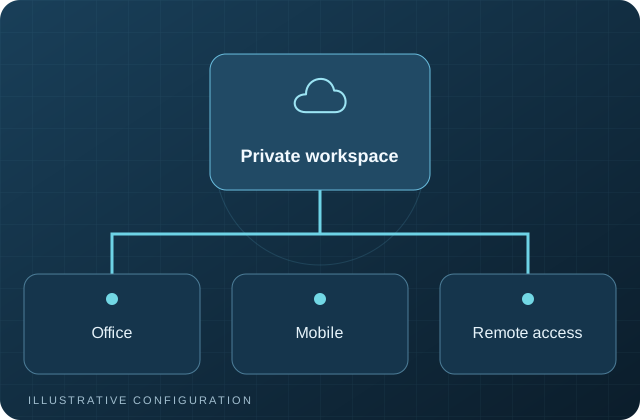
Private cloud does not mean that employees must be connected to the office network. Secure remote access, desktop synchronization, mobile applications, external sharing, calendars, contacts, and collaborative document editing can all be provided. The difference is that the organization and its service provider define the architecture instead of accepting a single vendor’s standard platform.
Cost should be evaluated over the full lifecycle
Public cloud pricing often begins with a predictable monthly fee per user, but the total may increase as more storage, security, backup, archiving, compliance, or administrative features are added. Private cloud usually requires more planning and an initial investment in hardware, hosting, implementation, and backup. Ongoing costs include administration, updates, monitoring, replacement planning, and support.
A useful comparison should cover at least three to five years. Include licensing, hardware, hosting, internet connectivity, migration, support, backup, staff time, growth, and the cost of changing providers later. Neither model is automatically less expensive. The better choice is the one that meets operational requirements with an understood and supportable cost structure.
Responsibility never disappears
With a public service, the provider secures and operates the platform, but the customer still controls users, permissions, devices, retention choices, and many security settings. With a private cloud, more platform responsibility belongs to the organization or its managed service provider. That includes updates, monitoring, certificates, capacity, backups, and recovery testing.
This distinction should be documented. A system is at greater risk when everyone assumes another party is handling an important task. An infrastructure plan should identify who owns account changes, patching, alerts, backups, restore tests, vendor support, and incident response.
A hybrid model is often the practical answer
Many organizations benefit from using both models. Business email may remain with a public provider while files and collaboration run in a private cloud. A local file platform may replicate to an off-site location. A central identity platform may provide single sign-on to private and public applications. The goal is not ideological purity; it is a coherent environment that supports the business.
Before selecting a model, document users, locations, applications, file volumes, remote-access needs, recovery requirements, internal skills, and contractual obligations. Then compare architectures against those facts. A private cloud is not right for every workload, and public cloud is not automatically the safest or simplest answer for every business.
Questions to resolve before choosing
Ask where critical data will reside, how employees will connect, which applications must integrate, and who will administer the environment. Confirm storage growth, internet reliability, expected user changes, retention requirements, and whether the business needs to operate during a provider or connectivity outage. These answers narrow the architecture more effectively than comparing feature lists alone.
Also ask how the organization would leave the selected platform. Document export formats, migration tools, contract terms, administrative access, and the expected effort to move data and identities. Exit planning is part of responsible vendor selection, even when there is no immediate intention to change providers.
Discuss Your Infrastructure
Blue Heron InfoTech helps manufacturers and growing organizations assess private cloud, identity, training, backup, server, network, and managed IT requirements. An initial consultation can clarify the current environment and the next practical step.