Blue Heron InfoTech Resource
How centralized authentication changes employee access, account administration, and application security.
Single sign-on is an access method, not a security product by itself
Single sign-on, commonly called SSO, allows a user to authenticate through a central identity system and then access connected applications without entering a separate password for each one. The employee may sign in once at the beginning of the work session, or may be asked to confirm identity again for sensitive applications. The central system provides the application with trusted information about the user.
SSO is valuable because it reduces separate credentials and creates a consistent place to apply authentication controls. It does not make an organization secure by itself. The quality of the underlying directory, multifactor authentication, device controls, application configuration, and account administration still determines the strength of the environment.
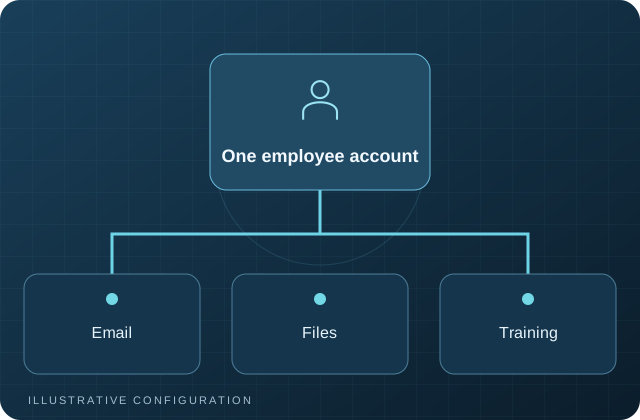
A central identity becomes the source of truth
Without centralized identity, an employee may have unrelated accounts for email, file sharing, training, remote desktop, business applications, and vendor portals. Names may be entered differently, password rules may conflict, and no single list shows what the person can access. When the employee changes roles or leaves, each account must be found and changed separately.
With a central directory, basic information such as username, name, email address, group membership, and account status can be managed in one place. Applications can use that directory directly or trust an identity provider such as Keycloak. The result is a clearer account lifecycle and fewer places where access can be forgotten.
What happens during an SSO login
When a user opens a connected application, the application redirects the browser to the identity provider. The identity provider verifies the user through a password, passkey, security key, authenticator application, or another approved method. It then sends a signed assertion or token back to the application. The application validates that response and creates a session based on the user’s identity and assigned roles.
The application does not need to store or validate the employee’s main password. This can reduce password exposure and allows authentication policies to be changed centrally. Common standards include OpenID Connect, OAuth 2.0, and SAML. The appropriate standard depends on what the application supports and how authorization must work.
Business benefits extend beyond fewer passwords
Employees usually notice that they have fewer login prompts. Administrators gain more important benefits: consistent multifactor authentication, faster onboarding, centralized account disabling, clearer group-based access, and better visibility into sign-in activity. Support teams also spend less time resetting passwords for multiple systems.
SSO can make application adoption easier because the employee uses a familiar company login. It can also support temporary or contractor access when groups and expiration dates are managed carefully. These benefits depend on accurate directory data and documented ownership of each application.
The central identity system becomes critical infrastructure
Centralization increases the importance of the identity platform. If it is unavailable, users may be unable to reach connected applications. If an administrator account is compromised, many systems may be affected. The identity service therefore needs protected administrative access, multifactor authentication, monitoring, backups, recovery documentation, and an availability plan appropriate to the business.
Applications should also be reviewed before they are connected. Some applications support SSO but continue to retain local passwords. Others require manual role mapping or do not support immediate session termination after an account is disabled. These limitations should be understood rather than assumed away.
Start with the account lifecycle
A successful identity project begins by defining how employees are created, approved, assigned to groups, changed, and disabled. Decide which system owns names and email addresses, who authorizes access, how contractors differ from employees, and how quickly access must be removed. Then connect applications in a controlled sequence.
SSO works best as part of a broader identity and access plan. The objective is one governed identity, controlled access, fewer unmanaged passwords, and a repeatable process for every employee change. It is not a claim that one login eliminates all security or administrative work.
Questions to ask before implementation
Identify the applications that support modern identity standards, the applications that require local accounts, and the groups that should control access. Confirm whether the identity provider can enforce multifactor authentication, record useful audit events, survive an outage, and be recovered from protected backups. Administrative access and emergency procedures deserve particular attention.
Plan the user experience as well. Employees need clear instructions for initial enrollment, password changes, multifactor recovery, and reporting a lost device. Help-desk personnel need a verified process for identity recovery so that convenience does not create an easy route for social engineering.
Discuss Your Infrastructure
Blue Heron InfoTech helps manufacturers and growing organizations assess private cloud, identity, training, backup, server, network, and managed IT requirements. An initial consultation can clarify the current environment and the next practical step.